> For the complete documentation index, see [llms.txt](https://support.ninchat.com/ninchat-support/llms.txt). Markdown versions of documentation pages are available by appending `.md` to page URLs; this page is available as [Markdown](https://support.ninchat.com/ninchat-support/english-new/user-interface/general-tips/interface-problems.md).

# Interface problems

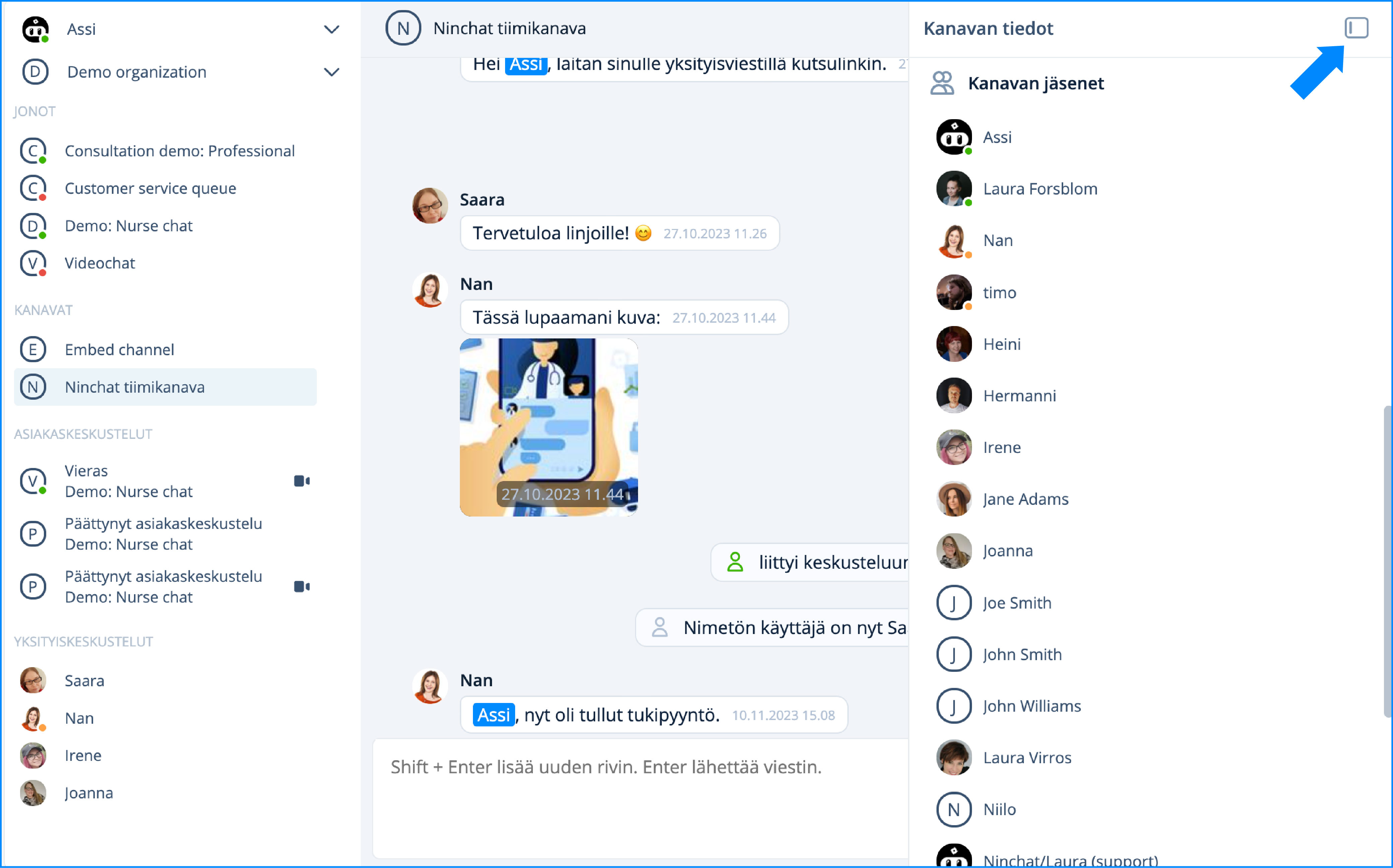
#### **The full channel member list is not visible**

Some channel members are shown in Ninchat's top bar. When a person is present, the status indicators show their state (green = present, orange = in another view, and no indicator = not signed in). To see the names of channel members, click the <img src="https://lh4.googleusercontent.com/Hk-PH7HMw4Eem1ckfyEYjyVRYYGR6LWrPtjStpRtFbTIEK52G5mNJ_cA4hxpUYo_dmPFRhWTWZVjpCJDtcRCc_Zsz9yGuubCKUlJ_CEiyMdacYUeBmVMUDHc6XoocnGfo5e7QxHLxu2He9WpwN2ZmZ8" alt="" data-size="line"> button shown after the people. The channel information bar covers some other functions, so remember to close it when you want to write a message, for example.

<figure><img src="https://498815019-files.gitbook.io/~/files/v0/b/gitbook-x-prod.appspot.com/o/spaces%2FIeqTSbNtGOeWTiig2G5l%2Fuploads%2Fgit-blob-d8a9ad2a092c4b89f8e4735b7507eb46b4afc755%2FKanavan%20ja%CC%88senet.jpg?alt=media" alt=""><figcaption><p>The channel information bar shows all people and names.</p></figcaption></figure>

## The user interface is in the wrong language <a href="#the-user-interface-is-in-the-wrong-language" id="the-user-interface-is-in-the-wrong-language"></a>

{% content-ref url="/pages/-LP4y4Ax76DUtSxeFIth" %}
[Ninchat user interface language](/ninchat-support/english-new/user-interface/general-tips/interface-language.md)
{% endcontent-ref %}

## Windows desktop notifications are not visible

[See the user settings instructions.](/ninchat-support/english-new/organization-member/user-account/user-settings.md#trouble-shooting)
