> For the complete documentation index, see [llms.txt](https://support.ninchat.com/ninchat-support/llms.txt). Markdown versions of documentation pages are available by appending `.md` to page URLs; this page is available as [Markdown](https://support.ninchat.com/ninchat-support/english-new/organization-member/user-account/delete-account.md).
# Remove user account
Here you can find instructions on how to remove a user account from Ninchat.
{% hint style="info" %} An organization operator can remove users from the organization and queues.\ A channel moderator can remove channel members from the channel.\ Only the user can delete their entire account from Ninchat by him/herself.
{% endhint %}
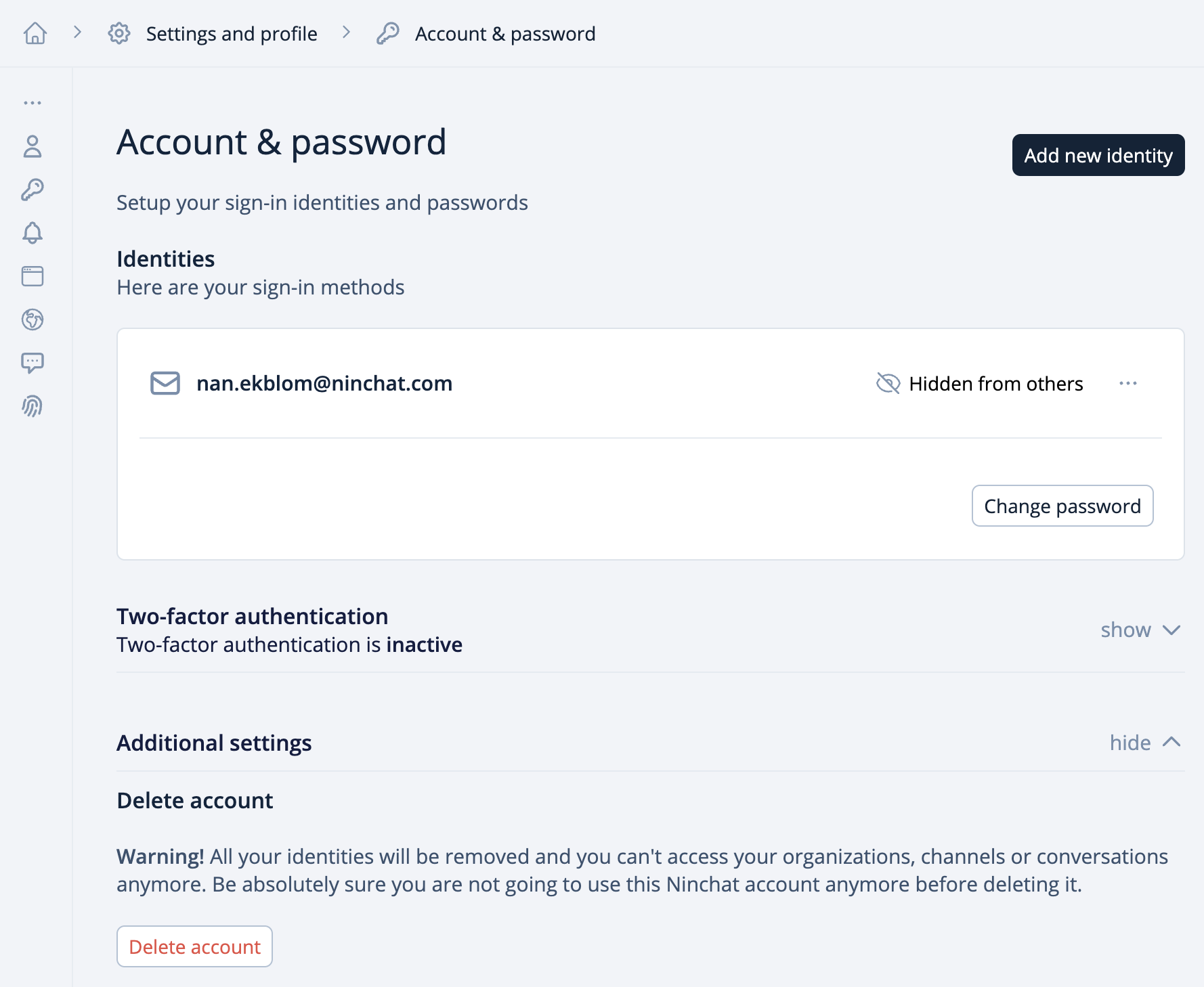
### Delete your account
If you wish to delete your Ninchat account entirely, you have to delete all of your login identities.
1. Click the arrow icon next to your username at the bottom of the Sidebar.
2. Select "Settings and profile" from the menu.
3. In your personal settings, go to the tab "Authentication".
4. Click a trash icon to remove an identity, repeat for all identities you have.
5. Log out.
If you wish, you can delete your Ninchat user account by removing all login identities.
* Under **Accounts & password**, go to the advanced settings at the bottom of the page.
* Click **Delete user account**.